I deleted my whole desktop and rebuilt it.
Not the compositor. That one I already built. I mean everything sitting on top of it: the bar, the launcher, notifications, the wallpaper, the idle timer, the lock screen, the polkit agent, bluetooth, clipboard history. All of it. It's now one Quickshell config, and I regret nothing.
The pile
Here's what a normal, sane Hyprland setup looks like, and what I was running until recently:
- waybar for the bar
- rofi / wofi for the launcher
- swaync for notifications
- hyprpaper for the wallpaper
- hypridle for the idle timer
- hyprlock for the lock screen
- hyprpolkitagent for polkit prompts
- hyprwat for menus (I wrote that one)
- bluetui / blueman for bluetooth
- cliphist for clipboard history
Every one of these is good software. Most of them are great. I'd recommend any of them to a friend. The problem was never any single tool, the problem was that I had ten of them, each with its own config format, its own theme file, its own idea of what a rounded corner should look like, and its own update that breaks on a Tuesday.
Themeing that pile so it looks like one coherent thing is a part-time job. You change your accent color and you're editing a CSS file, a Lua-ish config, three INI files, and a YAML document, and afterwards the notification daemon still looks like it wandered in from a different operating system.
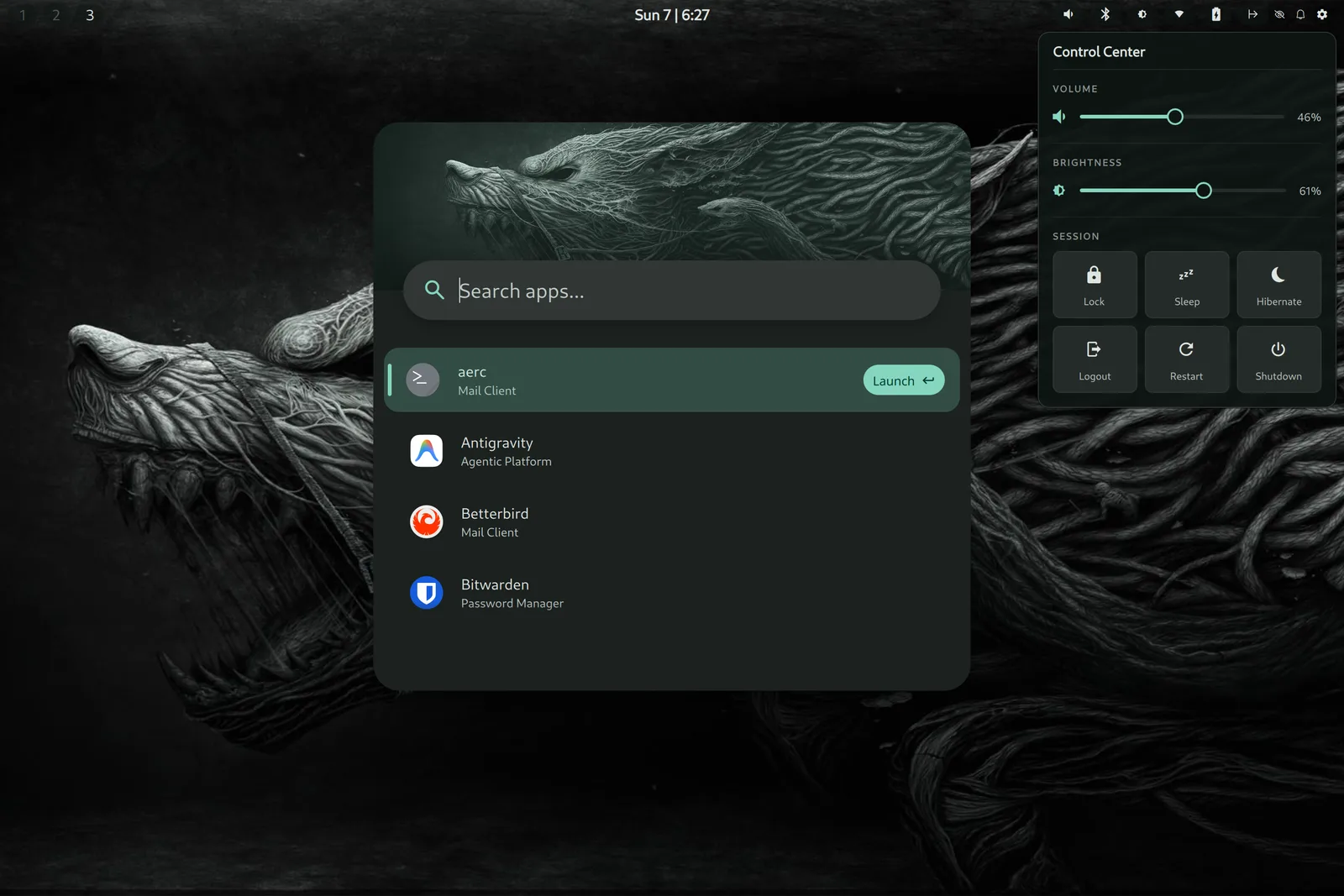
Here's the launcher, my rofi/wofi replacement. Fuzzy app search with frecency ranking, an inline calculator, an address book, clipboard history, all behind one keybind:
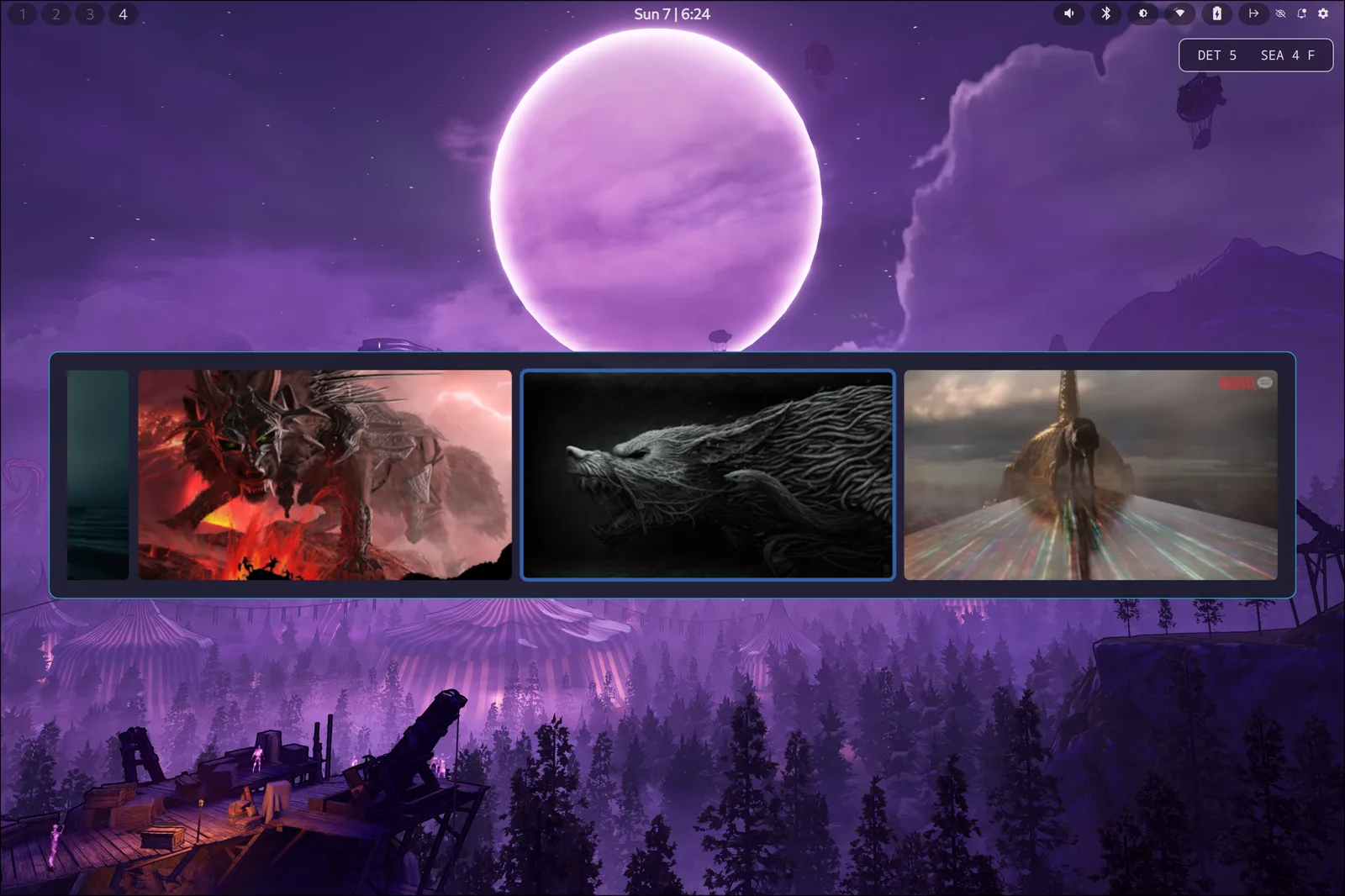
And the wallpaper picker, because of course I replaced hyprpaper too:
One design language
That was the real itch. I didn't want ten tools that mostly match. I wanted one Theme.qml where I change a color and the entire desktop changes with it, the bar, the launcher, the lock screen, the OSD, all of it, because they're all the same program drawing to the same screen.
Quickshell makes that possible. It's a QML host for building your desktop shell out of Wayland protocols directly, no scripting a bar to shell out to nmcli and parse the output with awk. The battery widget talks to UPower. The network widget talks to NetworkManager over D-Bus. The lock screen speaks ext-session-lock-v1. The idle timer uses ext-idle-notify-v1 and actually honors inhibitors, so fullscreen video doesn't dim on me mid-movie. It's the real protocols, not a pile of scripts pretending to be an integration.
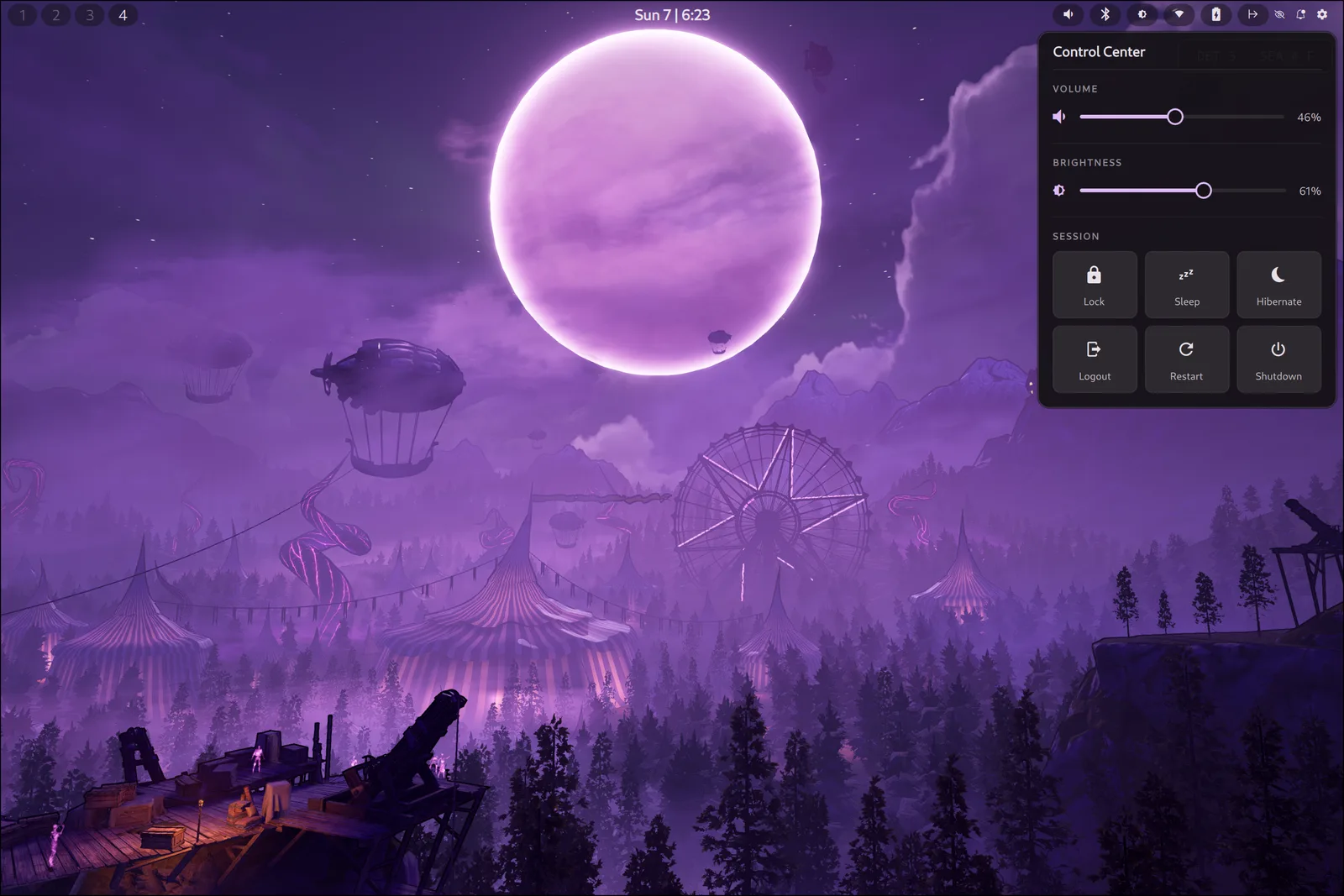
Here's the bar and the control center. Bar across the top, everything in one place:
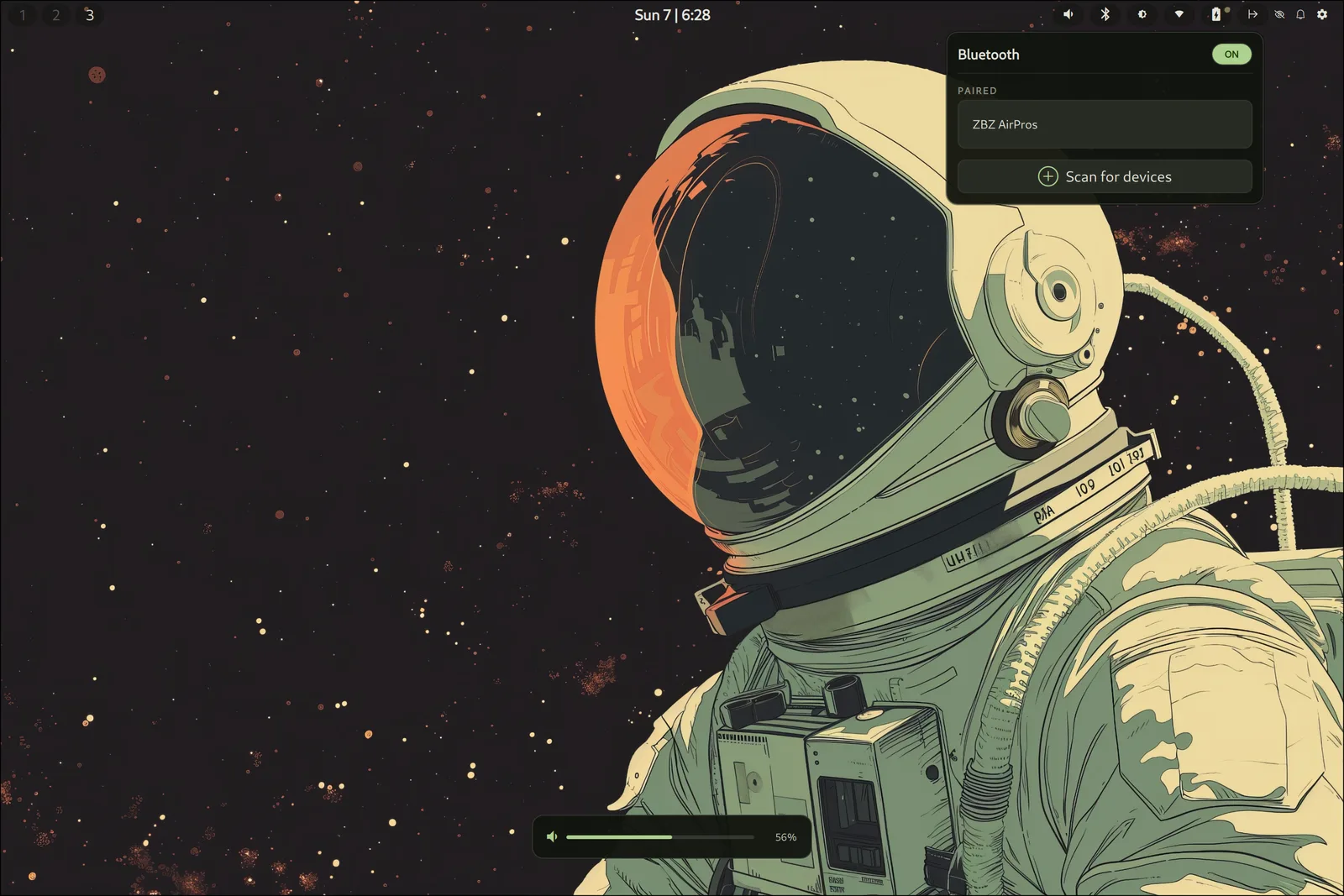
And because it's all one program, the accent color is derived from the wallpaper. Swap the wallpaper and the whole desktop, bar, launcher, control center, bluetooth menu, follows it. Purple background, purple UI. Change to a green one and the launcher goes green too:
The stuff that was annoyingly hard
Two things did not want to be replaced.
The lock screen was the big one. I wanted my fingerprint and my password to work at the same time, so I could swipe a finger or just type. Turns out a single stacked PAM service runs its modules one after another, which is exactly what produces that miserable "press Enter to fall through to the fingerprint reader" dance. The fix was two separate PAM services, one per auth method, run concurrently. Obvious in hindsight. Not obvious at 1am.
The other was idle inhibition. Quickshell can't own the org.freedesktop.ScreenSaver D-Bus name that windowed browser video uses to say "don't sleep," so I wrote a small Go daemon that does. It brokers the inhibits, ignores audio-only ones, captures clipboard selections too, and exits when the shell exits. That's the one piece of glue I couldn't avoid, and honestly it was fun to write.
Should you do this?
No.
Every tool I replaced is maintained by people who are better at it than I am, and if it breaks, they fix it. Now when my desktop breaks, the person who fixes it is me, at 1am, with a fingerprint reader that won't cooperate. I signed up for that maintenance bill on purpose, because I like knowing exactly how my computer works and I like everything looking like it belongs together.
But if you just want a nice desktop that works, use the pile. It's a great pile.
Don't be like me.